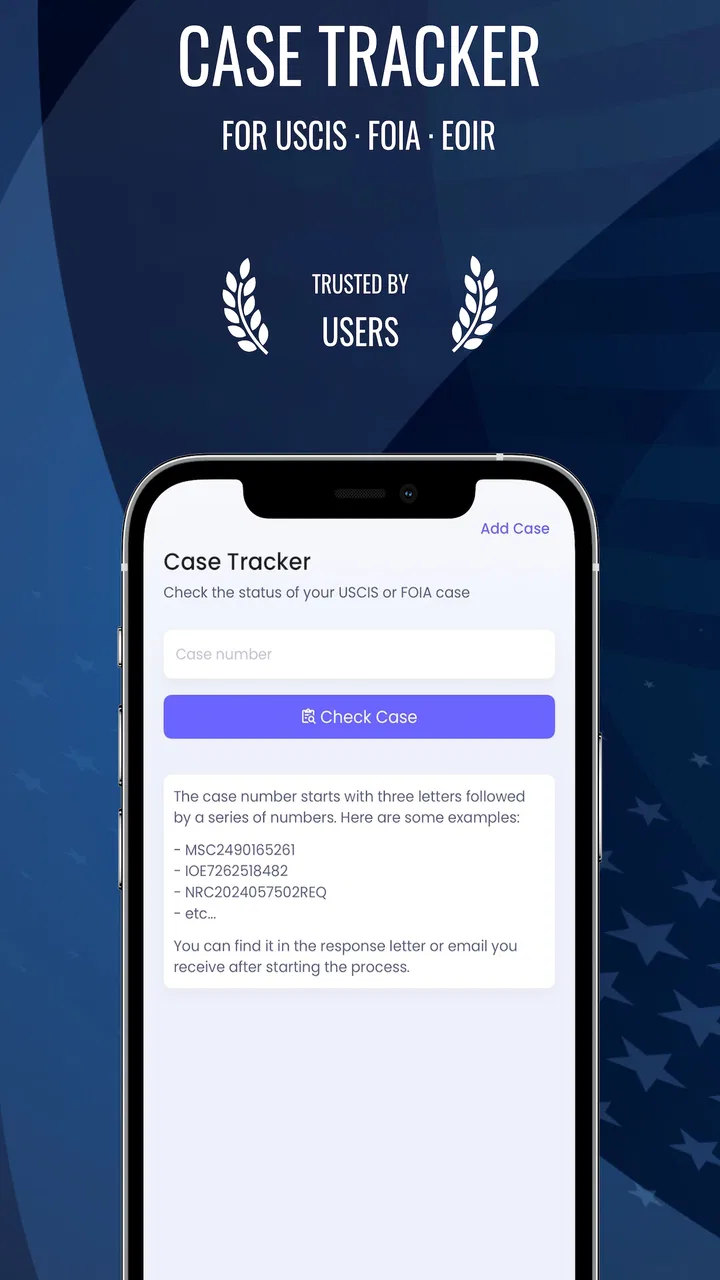
MigraConnect Case Tracker
- 4.9
- Rating
- 500.00K
- Installs
- Free
- Price

 Analysis by App-foxy
Immigration case tracking has a uniquely tiring rhythm: check a government page, enter a receipt number, wait, check again, and still wonder whether you missed a change. MigraConnect Case Tracker is built for that recurring task, bringing USCIS case tracking, Immigration Court information, and FOIA request tracking into one tools app. After spending time with it, I found its main value less about adding excitement to the process and more about reducing the number of places I need to remember.
That distinction matters. This is not an app that can speed up a case, interpret a legal notice, or replace an immigration professional. Its usefulness is practical: it gives people a more convenient way to keep an eye on matters that are otherwise easy to neglect. For anyone managing several case-related tasks, that small reduction in friction can make the difference between having a routine and constantly starting from scratch.
Why the repeated checking becomes exhausting
The usual alternative is a browser bookmark, a note containing receipt numbers, or a collection of screenshots saved on a phone. Those methods can work, but they depend heavily on personal discipline. A person may remember one USCIS case and overlook another. Someone helping a spouse, parent, or client may have to switch between separate notes. FOIA requests and Immigration Court information also do not naturally fit into the same simple browser habit.
You May Also Like

 Google Keep - Notes and lists
Google Keep’s Quiet Growth Shows the Appeal of Simpler Notes
As mobile work gets busier, Google Keep keeps winning a simple contest: capture a thought quickly, find it later, and get on with the day.

 Blood Strike: 2.5 Anniversary
Blood Strike’s Loadouts Turn Every Drop Into a Tactical Gamble
A close look at Blood Strike’s custom loadouts: how fast access to signature weapons reshapes its battle royale rhythm, rewards preparation, and narrows the gap between fights.

 Pandora - Music & Podcasts
Pandora’s Music Is Easy to Start, but Harder to Recover
Pandora’s strength is its low-effort path from a seed to a station. Its weak spot is how much confidence it asks you to place in connection, setup, and quiet recovery.

 8 Ball Pool
 Is Built on Rivalries, Rematches, and Routine
A close look at the rivalries, rematches, shared routines, and unanswered safety questions that turn a quick pool match into a persistent mobile community.

 Samsung Music
’s Quiet Strength Is Playing What You Already Own
Its reach comes less from spectacle than from dependable access to a personal library. That simplicity is both the app’s strongest retention engine and its ceiling.

 AccuWeather: Weather Radar
AccuWeather Review: A Quick, Clear Forecast for Everyday Decisions
For everyday plans, the best forecast is the one you can understand quickly. AccuWeather makes rain timing, radar, and local conditions easy to act on, with a few trade-offs.
More From Our News Desk



MigraConnect approaches the problem as a central place for those categories. The store summary describes it as a case tracker for USCIS cases, Immigration Court information, and FOIA requests, and that focus is important when deciding whether it belongs on your phone. It is not a general immigration news reader or a broad legal research tool. I judge it primarily by how quickly it helps me return to an existing case and understand what needs my attention.
The app is free to install, which makes trying the basic workflow relatively easy. It is developed by Tecso Solutions LLC and is listed for Everyone, so its intended audience is broad rather than restricted to legal professionals. The current version is 2.8.2, and it runs on Android devices using version 6.0 or later. Those details make it accessible to many older phones, although actual comfort will still depend on screen size and the condition of the device.
What I would use it for first
My first use would be organizing ongoing matters rather than opening the app only when I feel anxious. For example, a family member might have a USCIS receipt number, a separate FOIA request, and a court-related matter that needs occasional attention. Keeping these within one dedicated tool is more sensible than placing each number in a different note or relying on browser history.
A useful habit is to treat the app as a monitoring desk, not as an answer to every immigration question. I would open it after receiving a notice, record the relevant matter carefully, and then return on a planned schedule. That approach prevents the common mistake of checking repeatedly throughout the day without gaining any new information.
There is also a practical privacy habit worth adopting: use the app for tracking, but keep official notices and copies of submitted documents in a separate, organized location. A tracker can help you notice movement, while the actual documents remain essential for understanding deadlines, requests, and instructions. I would never rely on a status label alone when a formal notice has arrived.
The first setup should be deliberate
The most important part of setup is entering identifiers accurately. A single mistyped character can create confusion that looks like a delayed case or a missing record. I recommend copying a receipt or request number directly from the original document instead of typing from memory. Then I would compare the saved entry with the paper or digital notice before assuming the tracker is working incorrectly.
For people with multiple matters, order is more valuable than simply adding everything quickly. I would start with the case that has the nearest practical consequence, then add related matters one at a time. This makes it easier to recognize whether a displayed update belongs to the right person and avoids turning the first session into an unmanageable pile of identifiers.
The app’s purpose also means that setup may feel less satisfying than using a conventional productivity app. You are not building a calendar, writing a case history, or creating a detailed legal file. You are establishing a focused reference point. That narrowness is a strength for someone who wants less clutter, but it may disappoint users expecting a full document-management system.
How it fits into real routines
I use a simple routine to keep case checks from taking over the day: gather the relevant notices and identifiers first, review each matter in turn, and note anything that needs follow-up outside the tracker. That makes the app a starting point rather than the whole record, and it helps me separate routine monitoring from decisions that call for official documents or professional guidance.
A family managing several immigration matters
Consider a household where one person is waiting on a USCIS matter, another has a FOIA request, and a relative needs Immigration Court information checked periodically. Without a dedicated tracker, the family may pass responsibility around through text messages: “Did you check this one?” “Which number was that?” “Was that update for my case?” MigraConnect gives the person doing the checking a single place to begin.
The time saving here is not necessarily dramatic during one session. The benefit appears over repeated sessions, because the user does not have to reconstruct the same list every time. I would still keep a simple private note identifying whose matter is whose, especially when several receipt numbers look similar. That extra step helps prevent one of the most serious tracking mistakes: acting on information associated with the wrong person.
This is also where the app can be useful for a trusted helper. A relative who assists with routine checking may not need access to every document or email account. A focused tracking tool can make the narrow task easier, while the case owner retains the original paperwork. The arrangement should still be handled carefully, since immigration information is personal and a tracker should not become an excuse for careless sharing.
A person waiting for a FOIA response
FOIA requests often disappear from everyday attention because they do not always create the same immediate urgency as a court date or a mailed notice. I can see the value of having them represented alongside other immigration-related matters. The reminder is not that the request will be resolved faster, but that it remains part of the user’s active list instead of being forgotten in an email search.
For this use case, I would pair the app with a small record of the submission date, the request subject, and any correspondence received. The tracker can support awareness, while the personal record supplies context. This combination is more reliable than expecting one status view to explain the entire history of a request.
Checking before contacting a representative
Another realistic scenario is preparing for a conversation with an attorney or accredited representative. Before making contact, I would check the relevant matter in MigraConnect and gather the latest notice or correspondence. That can make the conversation more focused, because I am not starting with a vague statement such as “nothing has happened.” I can instead describe what I last saw and ask about the next step.
There is an important boundary here. A tracker can help organize facts, but it cannot tell me whether a change requires a legal response. If the displayed information conflicts with a mailed notice, a court document, or professional advice, I would treat the official document and qualified guidance as the priority. The app is a tracking aid, not an immigration-law decision maker.
When the usual browser method is enough
If you have only one USCIS case, check it rarely, and already keep the receipt number in a secure note, the official website may be all you need. Adding another app can be unnecessary when the existing routine is already clear. In that situation, MigraConnect’s strongest advantage—bringing several related tracking tasks together—has less room to matter.
The comparison changes when the user has multiple categories to monitor. Browser tabs and bookmarks are flexible, but they do not automatically create a dedicated immigration workspace. A general notes app offers more freedom, yet that freedom requires more manual organization. MigraConnect is the more focused choice when the goal is to reduce searching and keep USCIS, court-related, and FOIA tracking close together.
The friction it removes
The first friction removed is retrieval. Instead of remembering which bookmark, note, or email contains a number, I can return to a purpose-built tracking environment. The second is mental sorting: USCIS matters, Immigration Court information, and FOIA requests belong to the same broader personal task, even though they may otherwise be managed separately.
The third is routine formation. A dedicated app makes it easier to create a regular checking habit without turning that habit into constant checking. I would choose a sensible interval based on the situation, open the app, review each relevant entry, and then close it. The point is to make monitoring predictable, not to encourage repeated refreshing.
One non-obvious advantage of this workflow is that it can expose gaps in your own record keeping. If you cannot confidently identify which person or request belongs to an entry, the problem is not just the app; your information system needs improvement. I would use the first few sessions to clean up labels and supporting notes, because a neatly tracked wrong item is still a problem.
Another useful trade-off is concentration versus context. MigraConnect concentrates tracking, which saves time, but a concentrated view can tempt users to assume that a short status is the whole story. I find it best used as the first screen in a broader process: check the tracker, then consult the original notice when something changes or when a decision is required.
Reliability needs a sensible interpretation
Any case tracker deserves a cautious reading. A displayed status is valuable only when it reflects current information, and users should avoid treating a quiet screen as proof that nothing important exists elsewhere. I would compare meaningful changes with official correspondence and keep notifications, appointments, and deadlines in a separate calendar if they matter to daily life.
This is especially important for court-related matters. Immigration Court information can carry consequences that are too serious to manage through casual checking alone. The app may help me remember where to look, but I would not let it replace direct attention to court documents or professional instructions. The same caution applies to FOIA responses and USCIS notices that contain details beyond a brief status.
There is also a human reliability issue: shared phones, shared accounts, and informal helpers can create confusion. If several people use the same device, I would establish a clear naming convention and avoid saving entries in a way that makes identity ambiguous. A little organization at the beginning saves more time than repeatedly untangling similar case numbers later.
Costs and what to consider before committing
The app is free, but in-app purchases are listed from $1.99 to $549.99 per item. That wide range means I would inspect the purchase screen carefully before confirming anything and make sure I understand which function or access level an item covers. A free download should not be confused with every possible feature being free.
For a person who only needs occasional tracking, paid options may not be worthwhile if the official alternatives already meet the need. For a family, helper, or user managing several types of matters, the convenience may justify considering an upgrade, but only after testing the basic workflow and deciding whether it genuinely saves time. I would not pay simply because immigration tracking feels stressful; I would pay only for a clearly useful reduction in repeated work.
Who should use it, and who should skip it
I would recommend MigraConnect to people who regularly monitor more than one immigration-related matter, especially when USCIS cases, FOIA requests, and Immigration Court information are all part of the same personal routine. It also makes sense for someone who keeps losing track of receipt numbers or wants a dedicated place to begin each check.
I would be more hesitant to recommend it to a user who expects legal explanations, document storage, deadline management, or personalized advice. Those needs call for different tools and, where appropriate, qualified professional support. Someone with one uncomplicated case and an effective official-site routine may also find the extra app unnecessary.
The app’s audience is broad, reflected by its Everyone content rating, but broad accessibility does not remove the need for careful use. A family member assisting with a case should understand what they are checking, preserve the original documents, and avoid presenting a tracker’s information as legal advice. The tool is most valuable when it supports a responsible process rather than replacing one.
My final assessment
MigraConnect solves a modest but persistent problem: returning to immigration case information without rebuilding the same search every time. Its value is strongest in repeated use, where a central tracking routine can save attention and reduce the chance of overlooking a matter. The combination of USCIS tracking, Immigration Court information, and FOIA request tracking gives it a more specific purpose than a generic notes app or browser bookmark.
Its limitations are equally clear. It should not be treated as a legal adviser, a substitute for official notices, or a complete case-management file. Users should verify important changes, protect personal information, and review any purchase carefully. Those are not reasons to dismiss it; they are the boundaries that make its role understandable.
With an average rating of 4.9 from around fifty-five thousand ratings and over half a million installs, it has clearly attracted substantial interest from people looking for this kind of utility. I would still make the decision based on workflow rather than popularity. If repeated checking is eating time and your immigration matters are scattered across notes, tabs, and messages, this free tools app is worth trying. If your needs are legal interpretation or full document organization, I would choose a more specialized solution and use MigraConnect only as a focused tracking companion.
FAQs for MigraConnect Case Tracker
01What is MigraConnect Case Tracker used for?
MigraConnect Case Tracker is designed to help users monitor immigration-related case information in one place. Depending on the services supported by the app, it may provide case-status updates, important notifications, document or appointment reminders, and access to related resources. It is best viewed as a tracking and organization tool, not as a replacement for official government portals or professional legal advice.
02Can MigraConnect Case Tracker provide official immigration case decisions?
The app can help display or organize information connected to an immigration case, but it does not make decisions and cannot guarantee that every update appears immediately. Official agencies remain the authoritative source for approvals, requests for evidence, appointments, deadlines, and other legal notices. Users should always compare information shown in the app with official correspondence and their government case account.
03Is MigraConnect Case Tracker suitable for every immigration case?
Not necessarily. The features available may depend on the type of immigration process, the country or agency involved, and whether the case can be connected to the platform. Before relying on the app, users should check its supported case categories and jurisdictions. If a case is not recognized or information appears incomplete, contacting the relevant immigration authority or an accredited attorney is recommended.
04Does MigraConnect Case Tracker protect my personal information?
Because immigration tracking may involve highly sensitive details, users should review the app’s privacy policy, permissions, data-storage practices, and account-security options before entering information. Use a strong, unique password and enable additional security features when available. Avoid sharing login credentials or uploading documents unless necessary, and confirm that the app is downloaded from an official, trustworthy store listing.
05Is MigraConnect Case Tracker a substitute for an immigration lawyer?
No. A case-tracking application can make it easier to follow updates, organize reminders, and stay aware of possible deadlines, but it cannot interpret complicated legal situations or provide personalized representation. Immigration rules can change, and missing a notice may have serious consequences. For legal strategy, appeals, unexpected requests, or concerns about eligibility, consult a qualified immigration attorney or accredited representative.
Pros
- Tracks immigration case updates in one convenient mobile dashboard.
- Supports multiple case types for broader immigration tracking needs.
- Push notifications can help users notice status changes quickly.
- Simple interface makes checking case progress easy for nontechnical users.
- Useful reference details can reduce the need to check government portals repeatedly.
Cons
- Updates may depend on government processing and can arrive with delays.
- Not a substitute for legal advice or official immigration correspondence.
- Some features may require account details or sensitive personal information.
- Limited control over cases with missing
- outdated
- or incorrect agency data.
- Availability and features may vary by country
- case type
- or platform.

MigraConnect Case Tracker
Gallery